Files · File macro
Downloads that look like they belong, wherever the file lives
With the File macro the binary, the archive, the dataset or the design source is offered as a proper download on the page - whether it lives in Confluence or somewhere else entirely. Your readers fetch what they need in one click, and you never copy a heavy artefact into the wiki to make that possible.
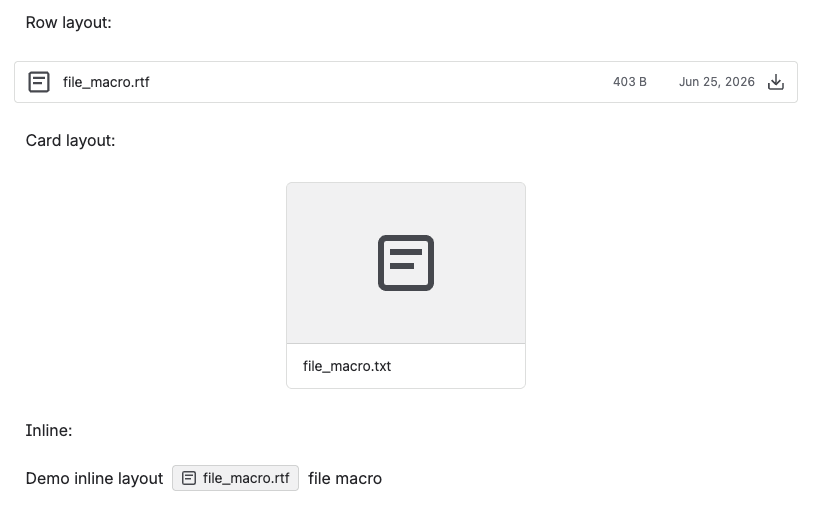
You offer external files as tidily as attachments
This is the trick attachments cannot do for you: point at a file in Google Drive, OneDrive or Dropbox, an S3 bucket, an SFTP server or behind a URL and readers get the same tidy download on the page. No copying a heavy archive into the wiki, and no separate instructions on where to find it.
Your readers see a name that means something
export_final_v3_USE_THIS.zip tells a reader nothing. Give the file the
name it deserves - "Q3 dataset" or "Brand assets" - and your page reads like
documentation rather than a directory listing, while the file itself stays exactly
as it is at the source.
Each file gets the weight it deserves in your text
A compact card for a file mentioned in passing, a wider row with a download button when the file is the point of the section, or an inline chip inside a sentence so the link to the template sits in the paragraph telling people to use it.
You replace the file, not the pages
Because the macro points at a source rather than holding a copy, updating the file at that source updates every page offering it. You keep one canonical artefact and many pages linking to it - and where the source reports them, the row layout shows size and last-modified date so readers know what they are about to fetch.
What the other file apps leave you storing twice
Many of the file apps for Confluence get an external file onto a page by importing or mirroring it - an app copies it in on a schedule and Confluence serves the copy. So you own two files, your page is as fresh as the last sync, and a large artefact is stored twice. This macro offers the file without ever taking it: it points at the bucket, the Drive folder, the SFTP path or the URL, so what a reader downloads is what is there at that moment, and replacing the artefact at the source is the whole update.
File is one of 31 macros in Macro Pack
One app to install, one licence to renew, one place your team learns - and 30 more formats it already reads, from spreadsheets and diagrams to API specs and documents.
See every macro in the pack