Survey · Survey macro
Get the team's answer where the decision is written
With the Survey macro you stop sending everyone to a third-party form and pasting a screenshot of the results back afterwards. The vote runs on the Confluence page itself - built in the editor, answered in place - and the results sit next to the decision they informed.
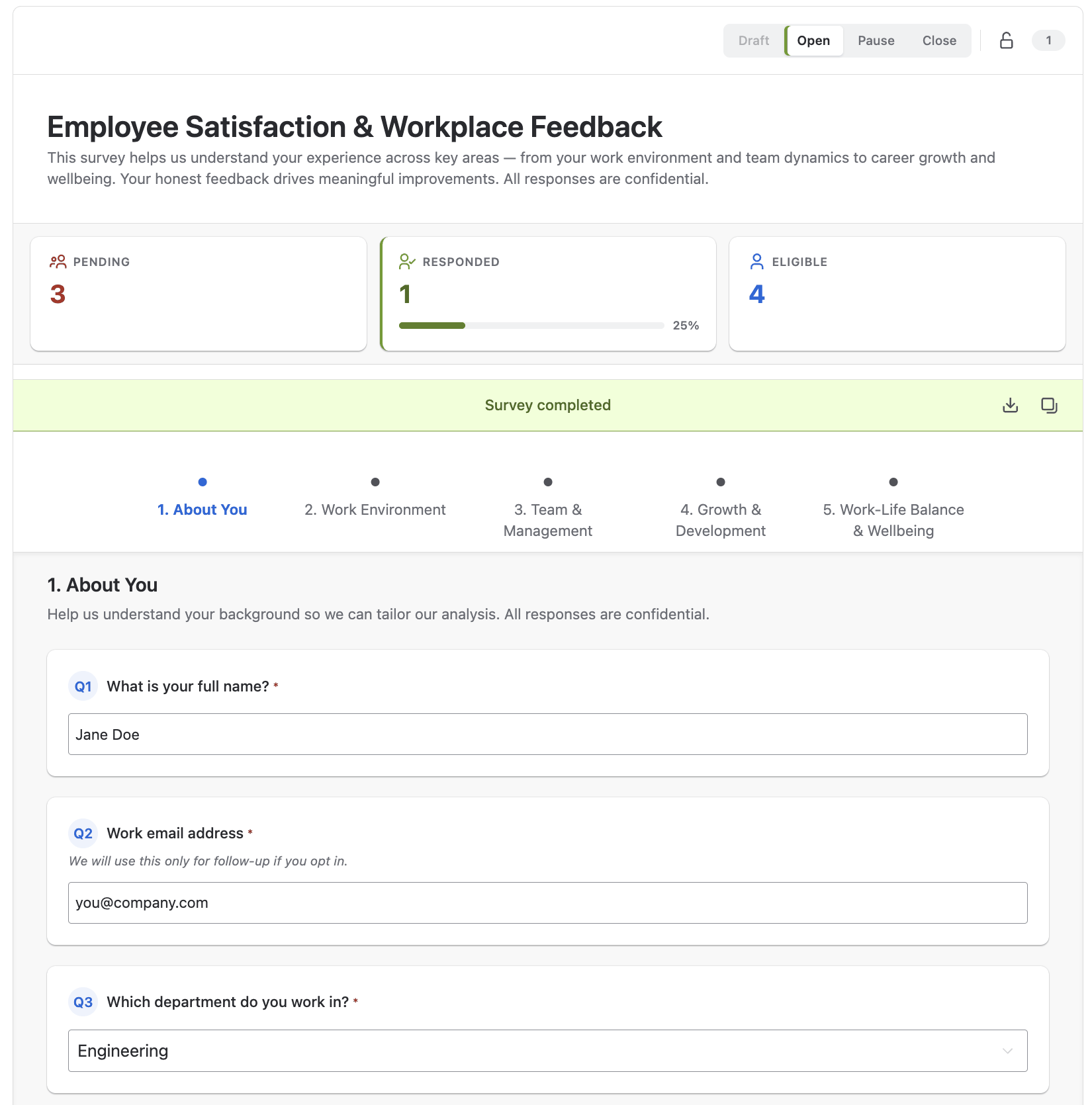
You drop the separate form tool and the pasted screenshot
A survey tool outside Confluence means another account, another link nobody clicks and results that come back as an image. Here the questionnaire sits on the page people are already reading, you see who has answered and what the results are right there, and you export the responses as CSV when it is time to analyse them.
You run a real retro, not just a yes or no
Sixteen question types - polls, single and multiple choice, ratings, rankings, matrix grids, free text, dates and times - assembled in a visual builder in the editor or written as plain text and loaded from a file. Split a long questionnaire into pages with a progress tracker, and show a follow-up question only when an earlier answer calls for it. That is enough for a real retro, a team health check or a feature vote, rather than only the one-question polls a wiki usually manages.
You get honest answers when you need them, and a quorum when you need that
Turn on anonymous voting and people say what they think about the release, the process or the tooling. Or restrict voting to named people or groups when the poll is a decision with a quorum, let voters change their mind or withdraw a vote, decide whether a poll shows its results always, after voting or never, and appoint moderators to look after it.
Your survey opens and closes without you remembering
A survey moves from draft to open, can be paused, and closes for good when you say so - or on the dates you set, so it goes live on Monday and closes on Friday with no chasing and no votes trickling in a week after the deadline. When it is done, you download every response as CSV and take it into whatever you analyse with.
What the other survey apps leave you rebuilding by hand
Some of the Confluence alternatives are quick polls: pick an option, watch the bar chart. Others are full survey products, and a good retro or health check is possible in them too. What you get here that they do not give you is a survey that is a file. Write the questionnaire as plain text, or build it visually and export it to Markdown with nothing lost, keep it in the repository or on Google Drive next to the process it measures, and every space that needs it loads the same reviewed version instead of rebuilding it by hand - and the macro ships inside the same app as the rest of Macro Pack, so a quick poll never needs a separate licence.
Survey is one of 31 macros in Macro Pack
One app to install, one licence to renew, one place your team learns - and 30 more formats it already reads, from spreadsheets and diagrams to API specs and documents.
See every macro in the pack